Make Human 1.0 WIN/MAC/UBUNTU


MakeHuman


membuat model Character 3D Sudah sangat mudah
Contohnya dengan menggunakan Make Human Version 1.0 ini.

Download:
Download From Official Site Make Human

mirrors:

WIN32
VIA FileSonic
VIA Wupload
VIA FIleserve

MAC OS X 10.5.x
VIA FileSonic
VIA Wupload
VIA FileServe


Unity 3D – Asset Superpack Download

 Unity3D


 Unity 3D – Asset Superpack | 7.63 GB
Most projects are for Unity3d V3+
Tutorials:
I3D’s Next-Gen Game Development with Unity3D Volume I
[Noesis] Unity 3d Module 1 – Fundimentals – Video + Assets
[Noesis] Unity 3d Module 2 – Gameplay and Scripting – Video + Assets
[Noesis] Unity 3d Module 3 – Optimization etc – Video + Assets
Advanced Game Design Using Unity
Game Development Using Unity 3 Complete
Unity 3D Game Development by Example – PDF E-Book
Unity Game Development Essentials – PDF E-Book
Complete FPS Tutorial by Graham McAllister – PDF E-Book + Assets
Car Tutorial – PDF + Project Files
Assets of Note:
Ingame Biped Editor
Playmaker – Visual Scripting
ORK Okashi RPG Kit
EZRoads 3d 1.8.1
FPX Zero (FPS starter kit)
River tool
Roadpath Tool
Rope Script
Terrain Toolkit Pro
…and more
Projects:
3rdPersonShooter
3rdPesronShooterKit
CarTutorial
CharacterAnimation
DirectionalWaypointExample
FPS_Tutorial_Completed
FPSplayer kit
FPX ZERO
JCar
M2H_Networking_Tutorial
M2H_Occlusion_System
mixamo_animationdrivenplayablecharacter
New Unity Inv
Proof Of Concept 1
ThirdPersonShooter
UnityGameExamplesByM2H
UnitySteer
…and more
And much more unsorted…
——————————————————
Download:


>VIA FileSonic.Part1
>VIA FileSonic.Part2
>VIA FileSonic.Part3
>VIA FileSonic.Part4
>VIA FileSonic.Part5
>VIA FileSonic.Part6
>VIA FileSonic.Part7
>VIA FileSonic.Part8
>VIA FileSonic.Part9
>VIA FileSonic.Part10
>VIA FileSonic.Part11
>VIA FileSonic.Part12
>VIA FileSonic.Part13
>VIA FileSonic.Part14
>VIA FileSonic.Part15
>VIA FileSonic.Part16
>VIA FileSonic.Part17
>VIA FileSonic.Part18


Source from: CGPERSIA

HTV Online V2.6: Aplikasi untuk nonton Tv Online Tanpa Instalasi


Malam Sobat Blogger,habis browsing ria gak sengaja Nemu Software ajib yang mungkin sayang kalo tidak di share.
Nama Softwarenya adalah HTV Online dan yang ini adalah versi terbarunya V2.6


apa sajakah Fitur dari HTV online ini:


Menu special yang tersedia di HTV :

1. TV Online Mancanegara
2. TV Online Indonesia 
3. Radio Online Mancanegara
4. Radio Online Indonesia
5. CCTV Mancanegara
6. CCTV Indonesia
7. Cinema 24 HTV
8. TVU & Sofpcast Channel
9. Relax Game
10. Chat HTV


Keuntungan menggunakan aplikasi multifungsi ini :
1. Full Hiburan siaran bermutu Lokal dan Mancanegara (Mancanegaranya ga nahan kan kualitas KW 1 SUPER ga kalah sama TV kabel...)
2. Bisa tau posisi jalan-jalan di Jakarta atau di Luar kota yang lancar atau yang macet. 
3. Pengguna Busway/ TransJakarta bisa ngecek Halte lagi rame apa ngak, jadi kalo ngantor pas lagi ga rame buruan jalan 
4. Punya usaha rumah makan, minimarket, warnet? pastinya butuh hiburan music biar pengunjung ga bosen, pakai saja HTV, silahkan pilih bnyk channel-chanel radio dan tv 24 jam yg siap menemani anda, baik dalam negeri atupun luar negeri. Serasa pengunjung anda semakin dimanjakan..
5. Sobat punya anak, ponakan, sepupu? HTV tersedia channel-channel khusus anak
6. Bisa buat teman santai sambil kerja
7. Buffer diminimalisir ,lebih maknyos nontonnya.
8. Suka ngegame iseng2? silahkan dicoba menu baru HTV nya.., lumayan buat ngilangin bosen sewaktu istirahat..
9. Hobi nonton bioskop ? wah cocok banget nih di HTV bnyk siaran2 cinema yang bisa jadi referensi buat nonton ala bioskop rumahan/ kantoran..
10. Paling utama keuntungannya tanpa instalasi , bisa ditaro di Flashdisk sobat, jd dimana saja dan kpn saja kalo lagi mampir2 bisa langsung mendapatkan hiburan.


Download HTV Online V2.6: 22.03 MB


----------------------------------------------
Update: HTV Online V2.7: 22.03 MB [DOWNLOAD ]
Info :
1. Perbaikan buffer
2. Penambahan channel
3. Fix error sdh diperbaiki


NB: Pastikan Di komputer Sobat sudah terinstal FlashPlayer jika belum bisa download di Sini


..:::PERHATIAN:::..
Bagi Sobat Yang menggunakan Norton harap di DISABLE dulu karna di Norton Tercek Sebagai FALSE ALARM

Hjsplit 2.4 For WinXP,2000,Me


Pada kesempatan kali ini saya ingin berbagi Hjsplit untuk sobat

Apa itu HJSPLIT?
HJSplit adalah sebuah program freeware populer untuk mengSPLIT file dan menggabungkannya kembali. Program ini tersedia untuk Windows, Linux  dan berbagai platform lainnya.

Mengapa kita harus membagi dang menyatukan file?Misalnya, memikirkan sebuah file 50 Mb, dan mencoba untuk mengirimkannya ke teman, posting di newsgroup atau meng-upload ke Website atau server FTP. Hal ini biasanya lebih mudahuntuk mengirim / menerima, upload / download bagian yang lebih kecil daripada menangani seluruh file dalam satu kali upload.

HJSplit juga dapat berguna untuk backup. Sebuah file misalnya 10gigabyte dalam ukuran dapat dibagi menjadi bagian-bagian yang lebih kecil yang kemudian dapat dibakar ke CD's, DVD, disalin keUSB stik atau di-upload ke layanan backup online.

HJSplit untuk Windows dan Linux ukuran file dukungan dari lebih dari 100 Gigabytes, checksum MD5, file-bandingkan, "berjalantanpa install" dan kedua edisi sepenuhnya portabel.


Download: Ziddu
Mirror        : 4Shared

7 aplikasi gratis untuk memperindah desktop.

Selamat malam sobat Blogger skalian.Kali ini saya ingin berbagi 7 aplikasi gratis untuk memperindah desktop sobat


Ok langsung ke intinya saja


1.Bumptop
Terdapat dua versi BumpTop yaitu versi Gratis dan versi Pro-nya ($29). BumpTop akan merubah tampilan desktop anda menjadi ruang virtual 3D, dimana anda dapat menempatkan ikon, shortcut dan file tidak hanya di lantai tapi juga di dinding. Meskipun program ini nantinya akan lebih memperlambat komputer anda tapi agar tampilan desktop tidak menjenuhkan maka anda perlu untuk mencoba program ini.


2. Fences

Program ini akan 'memagari' desktop anda dengan mengelompokkannya dalam bagian-bagian tertentu. Fences sangat berguna manakala kita termasuk kategori seseorang yang suka menumpukkan file dan folder di desktop karena dapat membantu mempermudah anda ketika anda mencarinya. Selain gratis, program ini juga tidak akan memberatkan komputer anda.


3. Real Desktop Light

Seperti arti dari nama softwarenya, maka dengan program ini tampilan desktop anda akan terlihat 'real/nyata'. Obyek yang ada di desktop akan menjadi obyek virtual yang dapat dirotasi, digerakkan dan bahkan saling dilempar satu dengan yang lainnya. Obyek-obyek tersebut berprilaku seperti halnya obyek di dunia nyata; obyek itu memiliki berat dan dimensi fisik.


4. RocketDock

Ingin memiliki tampilan 'dock' seperti layaknya desktop di Mac OS X? Instal program ini, karena dengan segala macam fitur yang ada, program ini dapat memenuhi keinginan anda untuk memiliki program dock gratis yang keren di desktop komputer berbasis Windows. Selain bisa berfungsi sebagai 'launcher' suatu program, RocketDock juga dapat memindahkan suatu aplikasi yang ada di
desktop misal Trash bin masuk ke dalam dock.


5. Tidy Start Menu
Anda memiliki banyak sekali program di Start menu Windows XP dan suatu kali bingung karena tidak bisa menemukan program yang anda cari di Start menu. Tidy Start Menu akan menjawab persoalan tersebut dengan cara 'merampingkan' Start menu sehingga dapat mempermudah pengguna ketika harus mencari program yang akan mereka jalankan lewat Start menu.


6. Vista4Experts

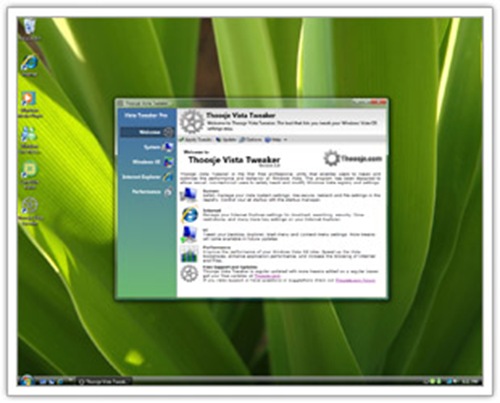
Vista4Experts adalah progam yang dapat mengontrol dan mengkonfigurasi sistem Windows Vista termasuk juga yang berhubungan dengan aspek tampilan. Anda dapat menyalakan atau mematikan Aero atau Windows Sidebar, ganti tampilan Control Panel ke tampilan klasik dan masih banyak lagi.


7. Yahoo Widget Engine

Jika anda penggemar widget, maka anda akan menyukai widget buatan Yahoo ini. Dengan program Yahoo Widget Engine akan memungkinkan penggunanya memilih ratusan aplikasi kecil yang hebat yang akan dapat melakukan apa saja yang sebelumnya tidak pernah bisa kita bayangkan. Begitu anda mendownloadnya maka anda akan mendapatkan engine itu sendiri yang dilengkapi dengan sebuah jam, monitor baterai, pelacak saham, pengecek e-mail, widget cuaca dan lain-lainnya.


5. Tidy Start Menu [belom ada link downloadnya
:Peace:
]
6. Vista4Experts 
[belom ada link downloadnya
:Peace:
]

Free Download EditPlus v2.10a+Keymaker

Nah,malam ini saya mau share software lagi yang tentunya gratis untuk pengunjung blog ini.Kali ini saya ingin share software EditPlus v2.10a+Keymaker yang berarti software yang saya share ini tidak TRIAL karena saya sudah memasukan keymaker untuk Software ini.

sebenarnya apa sih kegunaan software EDITPLUS ini,Lihat penjelasannya dulu di bawah ini.


EditPlus Icon
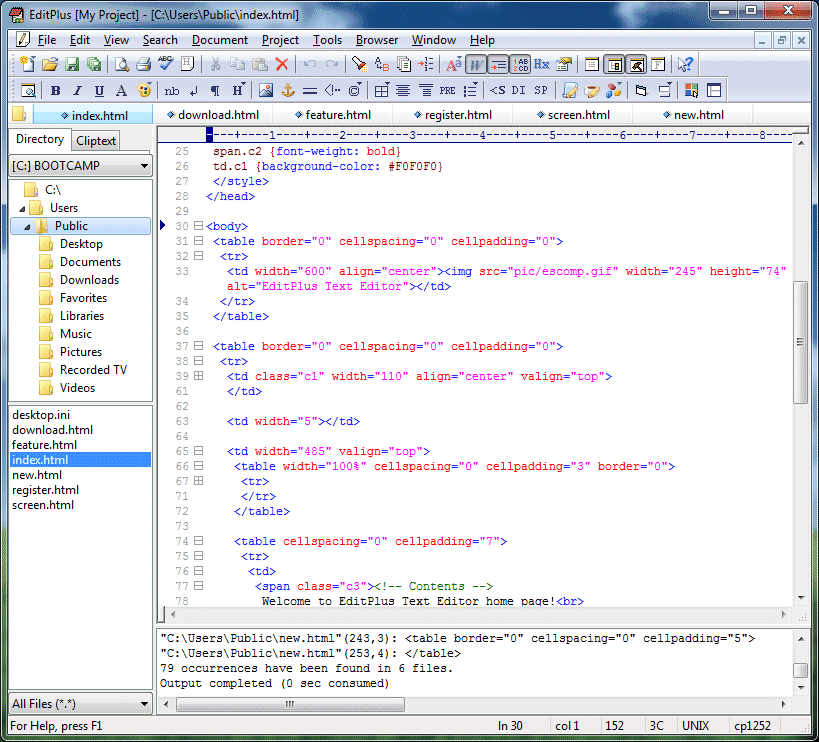
EditPlus adalah editor teks, editor HTML, PHP editor, Java editor dan Hex Viewer untuk Windows. Meskipun dapat berfungsi sebagai pengganti Notepad yang baik, itu juga menawarkan banyak fitur canggihuntuk penulis halaman web dan programer.
EditPlus Text Editor
(Click for full-size image) 

  • Sintaks HTML, PHP, Java, C / C + +, CSS, ASP, Perl, JavaScript dan VBScript. Selain itu, dapat diperpanjang untuk bahasa pemrograman lainnya berdasarkan sintaks file kustom. 
  • Seamless Web browser untuk melihat pratinjau halaman HTML, dan perintah FTP untuk mengupload file lokal ke server FTP.
  • Fitur lain termasuk Hex Viewer, HTML toolbar, pengguna alat-alat, nomor baris, penggaris, URL menyoroti, penyelesaian otomatis, cliptext, seleksi kolom, pencari yang kuat dan mengganti, multiple undo / redo, spell checker, cara pintas keyboard disesuaikan, dan banyak lagi.


Untuk cara penginstalan & Aktivasi Software ini bisa di lihat di bawah ini....

-------------------------------------------------------------------------------------------------------------

Pertama Extract dulu EditPlus v2.10a+Keymaker_rizkieyudhablogspotcom.rar ke folder yang di kehendaki,dalam contoh ini saya memberi nama folder adalah EditPlus v2.10a

Lalu Buka Folder EditPlus v2.10a dan jalankan ep2setup.exe

 Klik Setup untuk memulai instalasi

Ikuti Proses instalasi Sampai Selesai

 Jika Proses instalasi sudah selesai secara otomatis akan mucul windows seperti ini:


Tahap selanjutnya buka folder Keymaker yang ada di folder EditPlus v2.10a.
lalu Double Click di damn_editplus210a.exe


 Lalu akan windows seperti ini.
Klik Yes Untuk masuk kedalam EditPlus Keymaker


 Isikan kolom Username dengan nama yang ingin digunakan 
untuk mendapatkan Registration Codenya

Lalu Klik Generate It.
Secara otomatis Registration Code akan muncul,Copy code Tersebut lalu buka EditPlus.exe


Setelah anda membuka EditPlus.exe
akan muncul Kotak kecil untuk aktivasi EditPlus.Isikan Dengan username dan Registration code Dari EditPlus Keymakernya,Lalu Klik Register

Selamat Dengan ini anda sudah mempunyai EditPlus v2.10a yang Bukan Lagi Trial

-------------------------------------------------------------------------------------------------------------


Bagaimana.anda tertarik untuk mendownload software ini.

Download Link:
Password : rizkieyudha.blogspot.com
>>>>>>>Click Here To Download<<<<<<< [4 Shared]

Free Download Internet Download Manager V6.05+Crack/Patch

Now i want to share Internet Download Manager [IDM] V6.05 With Crack/Patch For Free.
For those of you who do not know what Internet Download Manager.You can read excerpts below


Internet Download Manager (IDM) is a tool to increase download speeds by up to 5 times, resume and schedule downloads. Comprehensive error recovery and resume capability will restart broken or interrupted downloads due to lost connections, network problems, computer shutdowns, or unexpected power outages. Simple graphic user interface makes IDM user friendly and easy to use.Internet Download Manager has a smart download logic accelerator that features intelligent dynamic file segmentation and safe multipart downloading technology to accelerate your downloads. Unlike other download managers and accelerators Internet Download Manager segments downloaded files dynamically during download process and reuses available connections without additional connect and login stages to achieve best acceleration performance.
Internet Download Manager supports proxy servers, ftp and http protocols, firewalls, redirects, cookies, authorization, MP3 audio and MPEG video content processing. IDM integrates seamlessly into Microsoft Internet Explorer, Netscape, MSN Explorer, AOL, Opera, Mozilla, Mozilla Firefox, Mozilla Firebird, Avant Browser, MyIE2, and all other popular browsers to automatically handle your downloads. You can also drag and drop files, or use Internet Download Manager from command line. Internet Download Manager can dial your modem at the set time, download the files you want, then hang up or even shut down your computer when it's done.

Other features include multilingual support, zip preview, download categories, scheduler pro, sounds on different events, HTTPS support, queue processor, html help and tutorial, enhanced virus protection on download completion, progressive downloading with quotas (useful for connections that use some kind of fair access policy or FAP like Direcway, Direct PC, Hughes, etc.), built-in download accelerator, and many others.
Version 6.05 adds IDM download panel for web-players that can be used to download flash videos from sites like YouTube, MySpaceTV, and Google Videos. It also features complete Windows 7 and Vista support, YouTube grabber, redeveloped scheduler, and MMS protocol support. The new version also adds improved integration for IE and IE based browsers, redesigned and enhanced download engine, the unique advanced integration into all latest browsers, improved toolbar, and a wealth of other improvements and new features


What is interesting from IDM V6.05 This


Internet Download Manager Feature

 All popular browsers and applications are supported!
 Download Speed Acceleration.
Internet Download Manager supports all popular browsers including IE, AOL, MSN, Mozilla, Netscape, Firefox, Avant Browser, and many others. Internet Download Manager supports all versions of all popular browsers, and it can be integrated into any Internet application to take over downloads using unique "Advanced Browser Integration" feature.
 
Internet Download Manager can accelerate downloads by up to 5 times due to its intelligent dynamic file segmentation technology. Unlike other download managers and accelerators Internet Download Manager segments downloaded files dynamically during download process and reuses available connections without additional connect and login stages to achieve best acceleration performance.
 Easy downloading with one click.
 Download Resume.
When you click on a download link in a browser, IDM will take over the download and accelerate it. You don't need to do anything special, just browse the Internet as you usually do. IDM will catch your downloads and accelerate them. IDM supports HTTP, FTP, HTTPS and MMS protocols.
Internet Download Manager will resume unfinished download from the place where they left off. Comprehensive error recovery and resume capability will restart broken or interrupted downloads due to lost or dropped connections, network problems, computer shutdowns, or unexpected power outages.
 YouTube grabber.
 Simple installation wizard.
Internet Download Manager can record and download FLV videos from popular sites like YouTube, MySpaceTV, and Google Video. The best way of downloading webpage embedded videos from the Internet is here. After installing IDM, "Download This Video" button pops up whenever you are watching a video anywhere in the Internet. Just click on the button to start downloading clips.
Quick and easy installation program will make necessary settings for you, and check your connection at the end to ensure trouble free installation of Internet Download Manager
 Automatic Antivirus checking.
 Built-in Scheduler.
Antivirus checking makes your downloads free from viruses and trojans. IDM can automatically run a scanner on download completion, like AdAware, Avast, Spybot, AVG Anti-Virus, McAfee, SpywareBlaster, CCleaner and others to protect users from harmful downloaded files.
Internet Download Manager can connect to the Internet at a set time, download the files you want, disconnect, or shut down your computer when it's done. You can also synchronize changes using periodic synchronization of files. It's possible to create and schedule several download queues for downloading or synchronization.
 Drag and Drop.
 Advanced Browser Integration.
You may simply drag and drop links to IDM, and drag and drop downloaded files out of Internet Download Manager.
When enabled, the feature can be used to catch any download from any application. None of download managers have this feature.
 IDM includes web site spider and grabber.
 Customizable Interface.
IDM downloads all required files that are specified with filters from web sites, for example all pictures from a web site, or subsets of web sites, or complete web sites for offline browsing. It's possible to schedule multiple grabber projects to run them once at a specified time, stop them at a specified time, or run periodically to synchronize changes.
You may choose the order, buttons, and columns to appear on the main IDM window. There are several different skins for the toolbar with different button styles. All skins can be downloaded from IDM home site. Also users can design their own skins.
 IDM supports many types of proxy servers.
 IDM supports main authentication protocols: Basic, Negotiate, NTLM, and Keberos.
For example, IDM works with Microsoft ISA, and FTP proxy servers.
Thus IDM can access many Internet and proxy servers using login name and password.
 Download All feature.
 Download limits.
IDM can add all downloads linked to the current page. It's easy to download multiple files with this feature.
Progressive downloading with quotas feature limits downloading to defined number of megabytes per hour. The feature is useful for connections that use fair access policy (or FAP) like Direcway, Direct PC, Hughes, etc.
 IDM is multilingual.
 Quick Update Feature.
IDM is translated to Albanian, Arabic, Azerbaijan, Bosnian, Bulgarian, Chinese, Croatian, Czech, Danish, Dutch, Farsi, French, German, Greek, Hebrew, Hungarian, Italian, Japanese, Korean, Lithuanian, Macedonian, Norwegian, Polish, Portuguese, Romanian, Russian, Serbian, Slovak, Slovenian, Spanish, Thai, Turkish, and Uzbek languages.
Quick update may check for new versions of IDM and update IDM once per week. Quick updates feature lists all new features added to the latest version and asks a user if he wants to update IDM to the latest version.
 Download Categories.
 Dynamic Segmentation.
Internet Download Manager can be used to organize downloads automatically using defined download categories.
Dynamic Segmentation and Performance


Below is a link to IDM V6.05 Download + Crack / Patch


.rar password rizkieyudha.blogspot.com